WWM Connection Monitor
See how your Where Winds Meet connection changes over time.
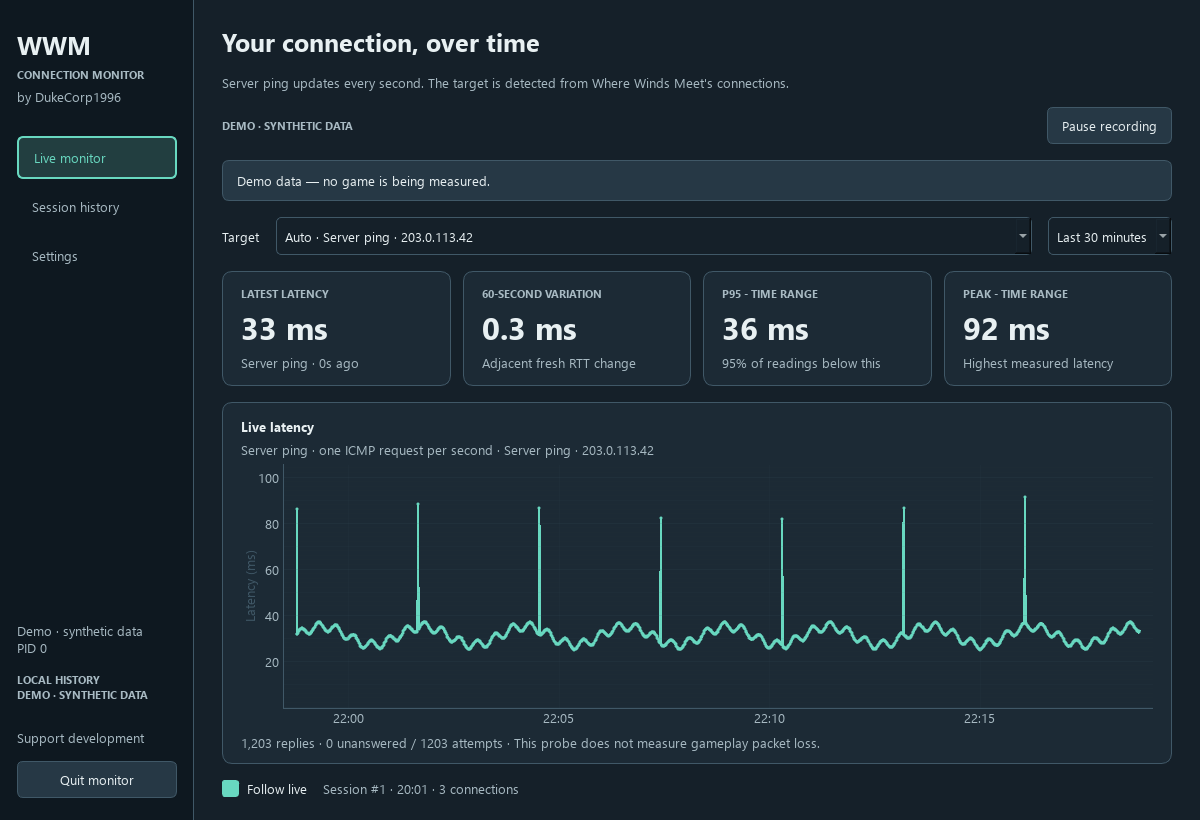
A desktop monitor that detects the game, pings a detected server about once per second, and saves connection history locally. Review recent latency, inspect past sessions, and export readings to CSV.
Version 1.0 is tested and working on Windows. A public download is coming soon. The Linux version is still in testing.
Inside the monitor
Features
Automatic game detection and server ping, with a separate optional custom-IP probe.
Live 15- and 30-minute charts, reading age, latency variation, and summary statistics.
Saved sessions, pause and resume, per-connection history, and CSV export.
Numeric system-tray readings and five themes, including Classic Teal and Parchment.
Separate passive TCP estimates when the operating system provides them.
Understanding the readings
Server ping measures an ICMP round trip to a detected game-owned server. Automatic selection is a heuristic, so it is not guaranteed to use the same target or show the same value as the game's own ping display.
Passive TCP estimates are recorded separately and depend on game traffic. Missing readings stay as gaps. UDP latency is unavailable, and unanswered ICMP requests do not establish gameplay packet loss.
Local data
Sessions, server addresses, measurements, and settings stay in a local SQLite database. The monitor has no built-in uploads or telemetry. Active ping sends ordinary ICMP requests to the selected server or optional custom target.
The monitor does not inject into the game, read game memory, or record packet payloads. Optional collector elevation is requested only when needed for OS access.
Support development
If you would like to support this monitor and other DukeCorp1996 projects, you can make an optional donation through PayPal.
Donate with PayPal →Donations are optional. This is an independent project and is not affiliated with or endorsed by the makers of Where Winds Meet.